When ER diagrams become spaghetti
Small schemas are easy to visualize. As more tables share keys and cross business domains, finding the relationship you need becomes harder than drawing it.
 ER Wiki
EDA-style routing for database relationships
ER Wiki applies orthogonal routing, shared buses, and obstacle avoidance to database relationships — helping growing schemas stay navigable instead of turning into spaghetti.
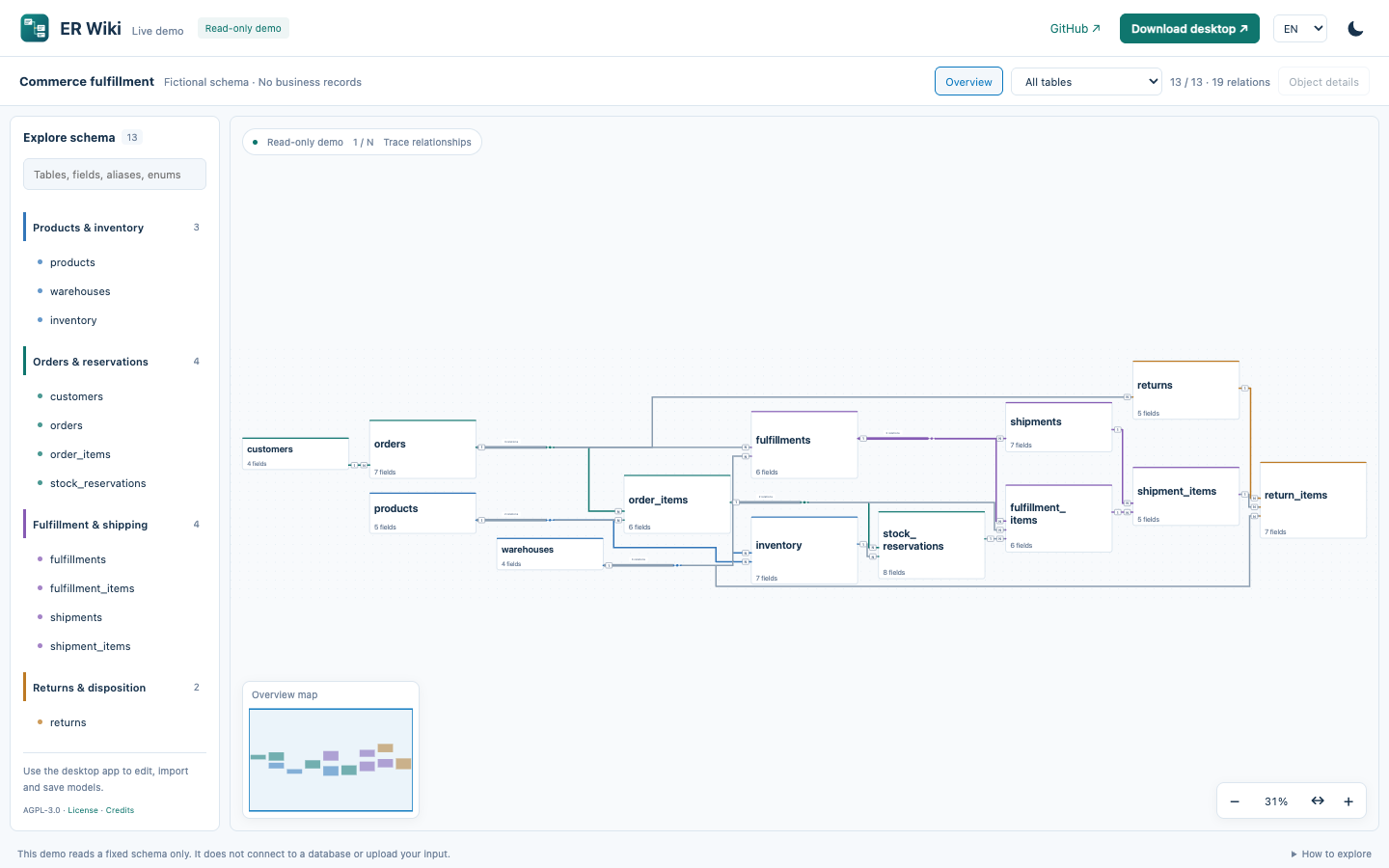
Small schemas are easy to visualize. As more tables share keys and cross business domains, finding the relationship you need becomes harder than drawing it.
Circuit-design tools have dealt with dense connectivity for decades. ER Wiki borrows that perspective: organize paths, shared connections and reading scopes — not just the table positions.
EDA × Database
Database schemas and circuit schematics share a visualization problem: many nodes, many connections, limited 2D space. ER Wiki focuses on how relationships are routed as well as what they connect.
ELK places the graph; libavoid reroutes eligible candidates around table obstacles.
Related references can share a trunk. Select an individual relationship without losing its original endpoints.
Ports can use all four table sides while retaining field identity and 1/N cardinality.
This is ER Wiki’s own output, not a fabricated before/after comparison. The 13-table example demonstrates the interaction, not a large-schema benchmark.
Overview → domain → table → column. Search, a minimap and focused tracing help keep your place.
Inspect fields, enums, cardinality and recorded evidence. A drawn logical relationship is not automatically a database foreign key.
Desktop: import SQL locally, edit tables and relations, round-trip JSON, export SVG/PNG. The web demo is read-only.
The installed Electron app works offline with local models. No application telemetry or automatic model uploads. Update checks contact GitHub only when requested; the hosted demo still uses normal web requests.
drawDB provides the editing foundation. ELK handles layout and compaction; libavoid handles obstacle routing. React renders the workspace, and Electron packages the desktop app.
Read the implementation →Start with the fictional example. Use the desktop app for your own SQL and JSON models.
Published binary: macOS Apple Silicon. Ad-hoc signed, not notarized. Windows/Linux releases are not validated.